ClaireMail

What we shipped.

The big releases, newest first. Every one of these is in the app today.

2.8.487MaciPhone

Add to Reminders from the email list

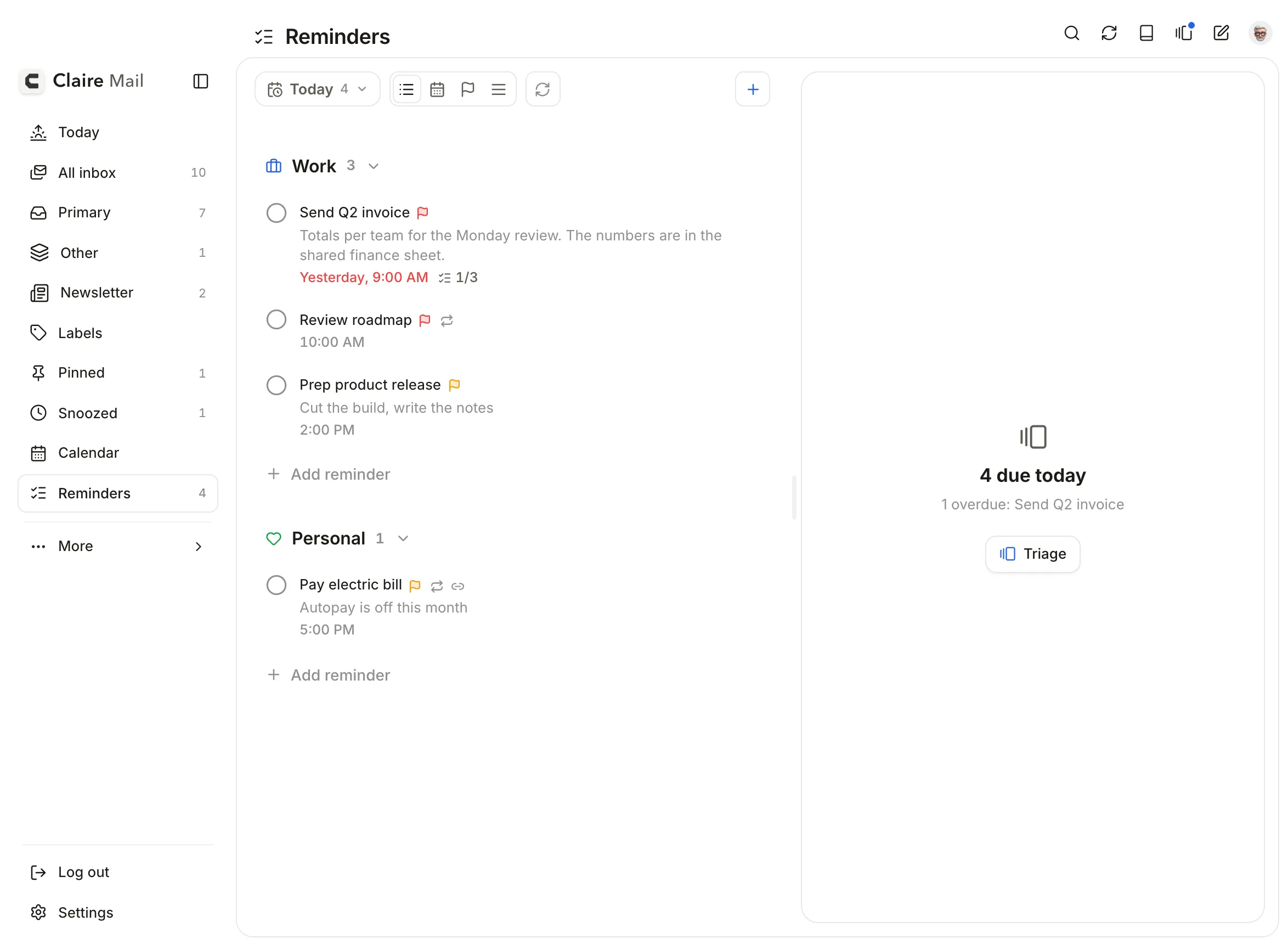
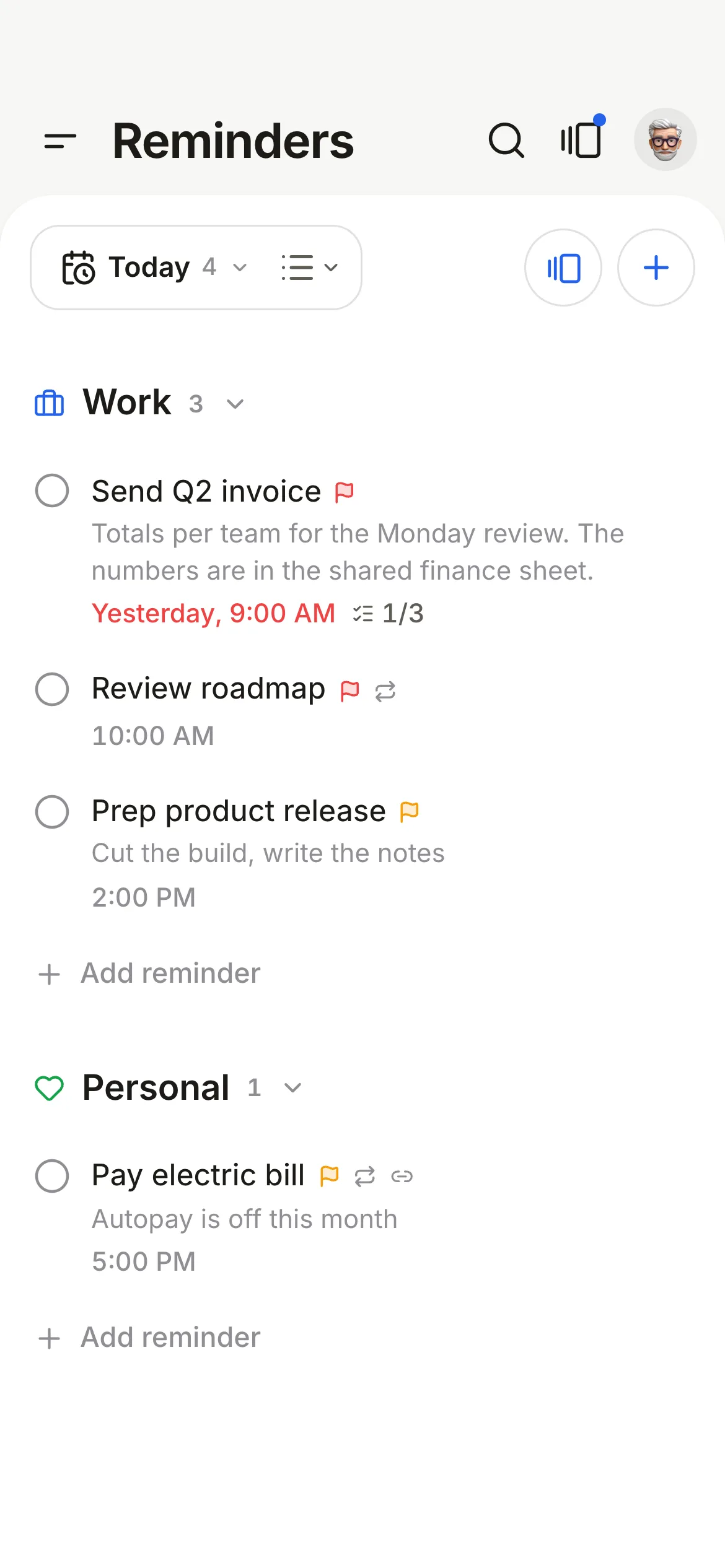
Add a reminder straight from an email row, with a title and date-only choices, paste a list to make subtasks, and a round of fixes for reminders and dialogs.

New

  • Add to Reminders from an email now has a title field, filled in with the subject.
  • Add to Reminders on email rows: in the hover actions on Mac, and in the More sheet on iPhone.
  • Date presets (Today, Tomorrow, This weekend, Next week) set a date only. Adding a time is optional.
  • Reminders made from an email show a mail chip next to the date. Tap it to open the email.
  • Paste a list into a subtask and each line becomes its own subtask.
  • Mac: drag the top edge of the quick reminder panel to move it.

Improved

  • Mac: the quick reminder panel is wider and its title is smaller.
  • iPhone Calendar: drag anywhere on the dates of the week card to expand or collapse it.
  • iPhone Solid theme: Inbox, Calendar and Reminders read as one surface with the top bar.
  • iPhone: the reader card has a little more room at the sides.
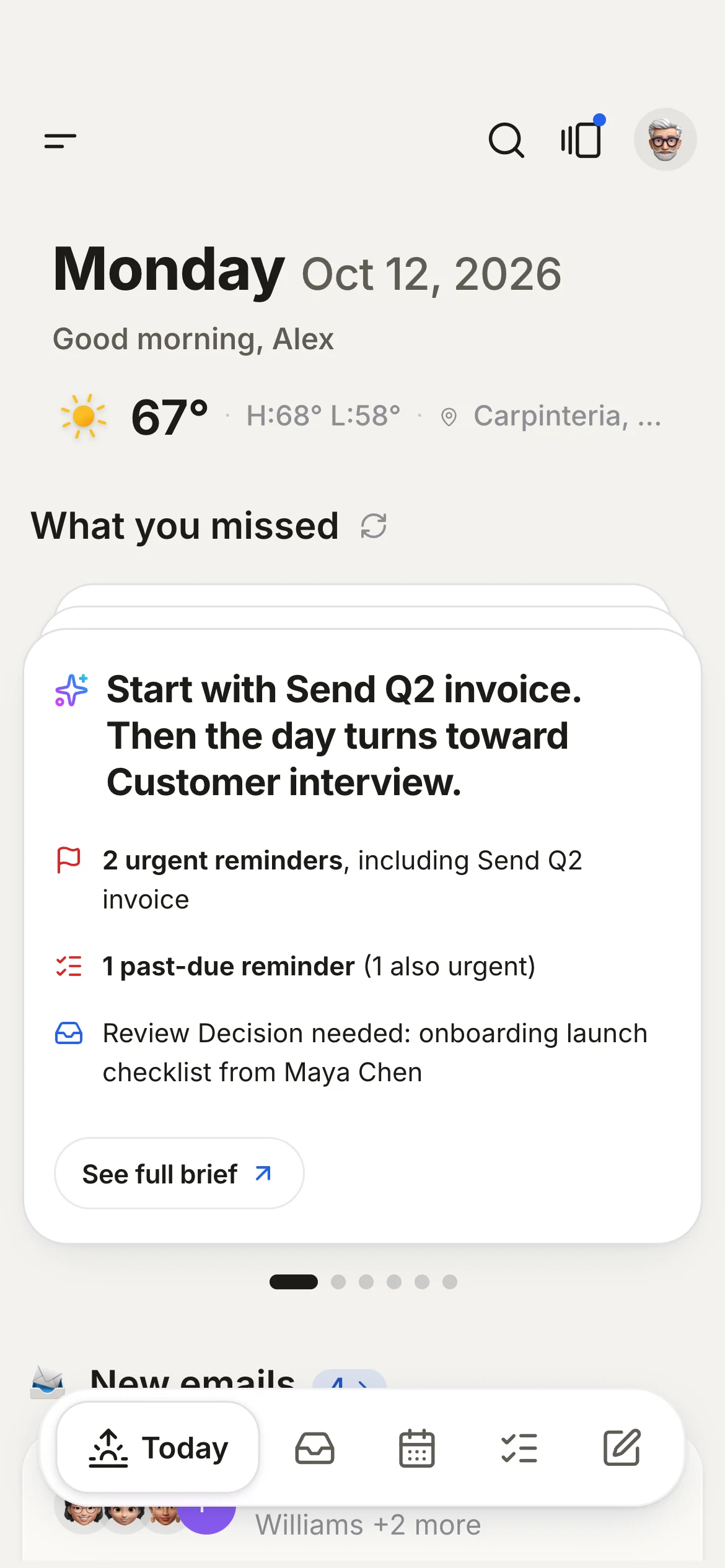
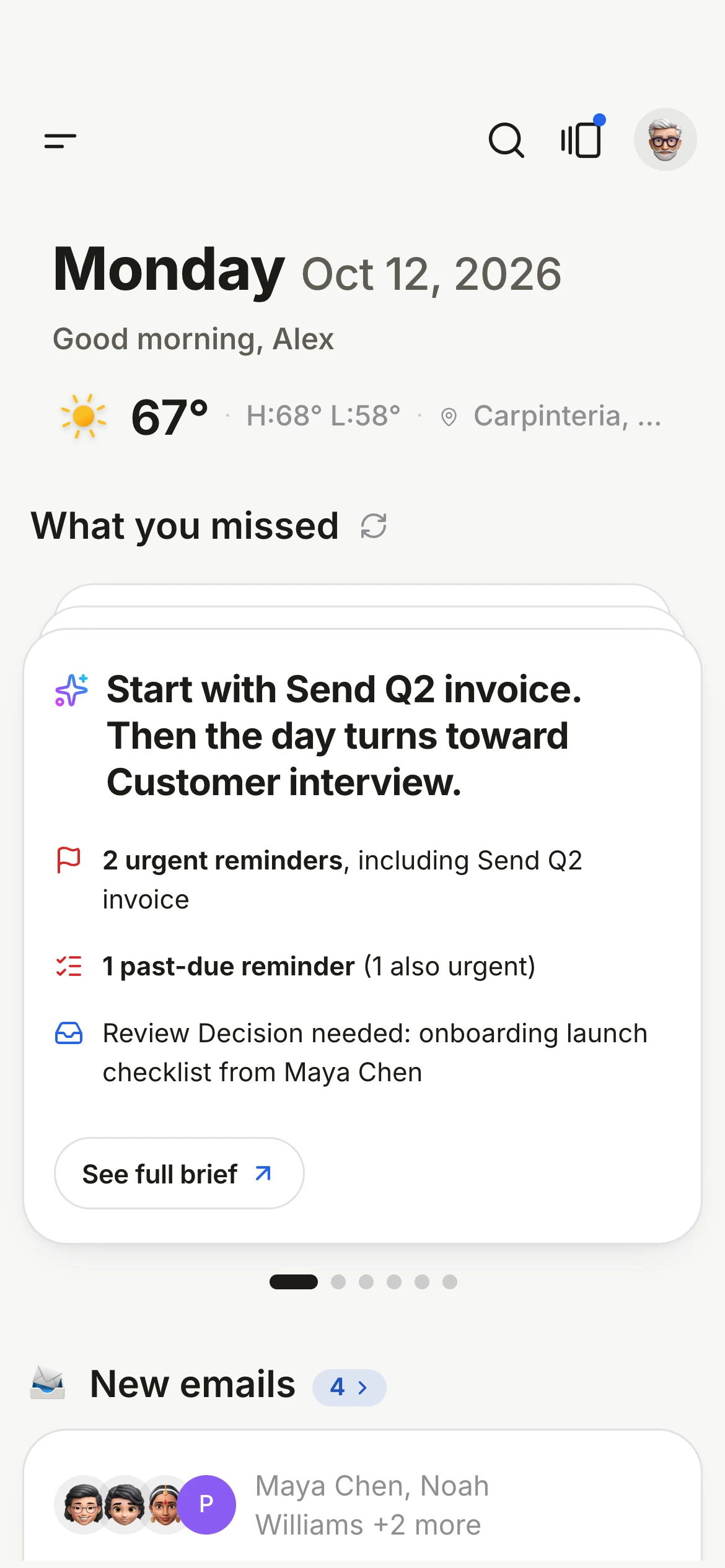
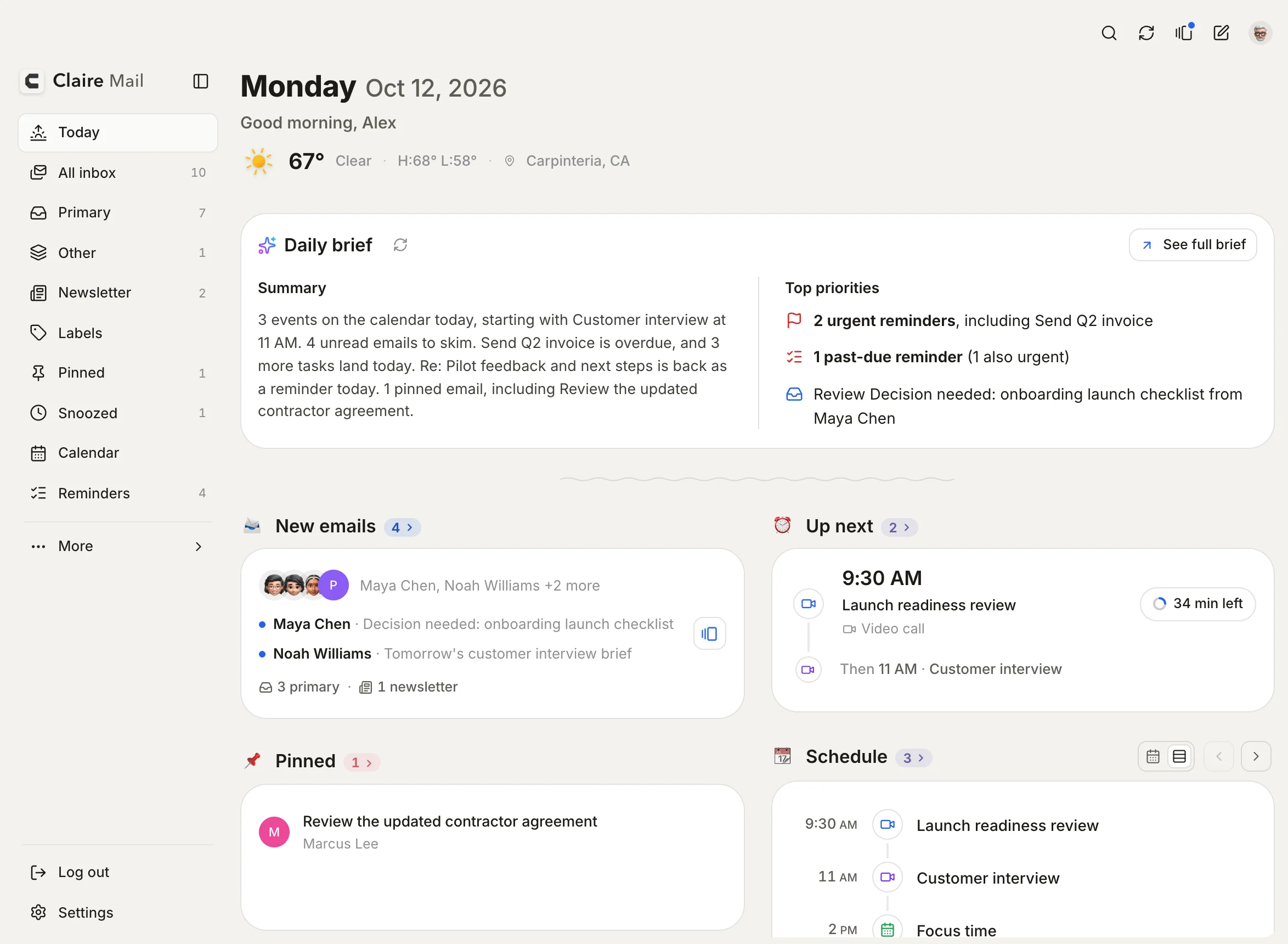
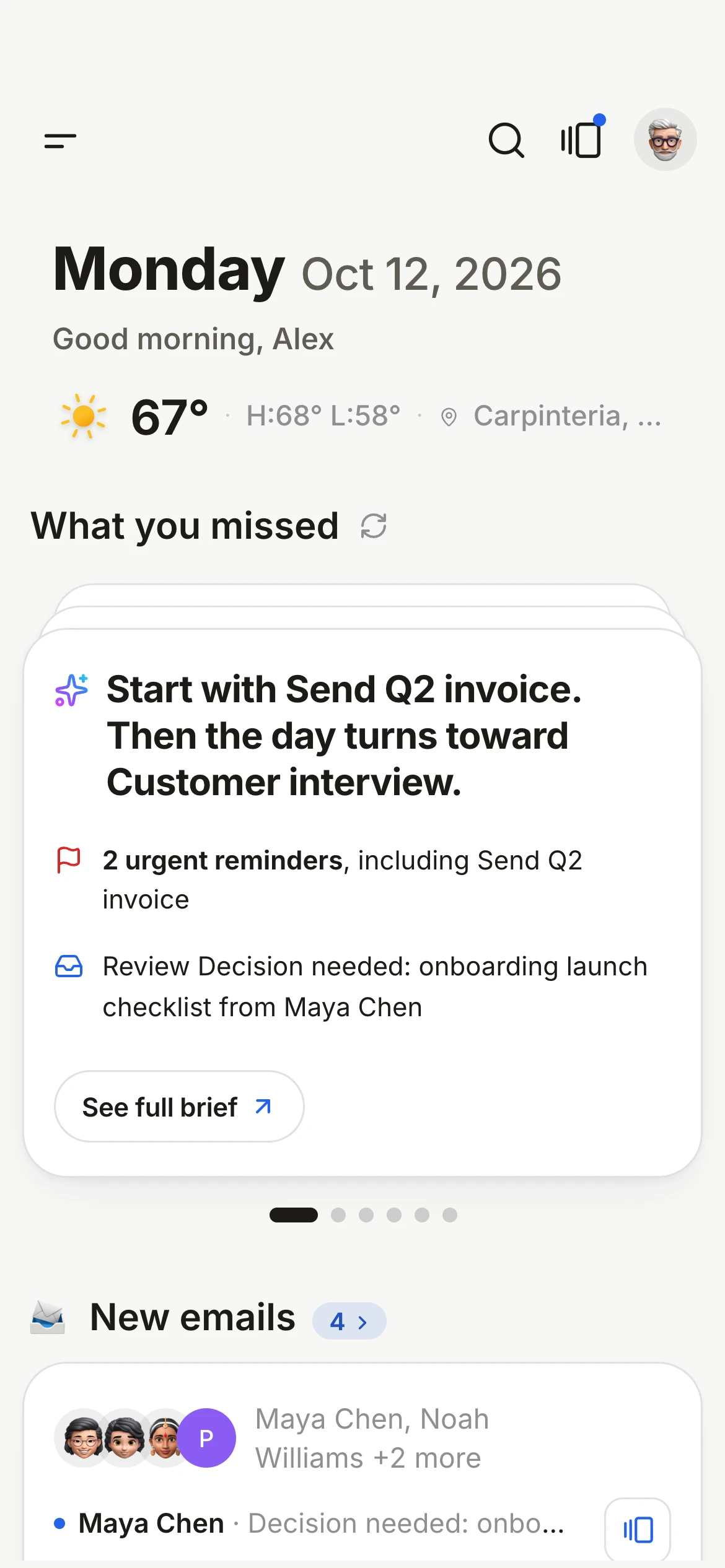
  • Today: What you missed shows when the brief was last updated, and Updating... while it refreshes.
  • Mac: the All done screen after Triage closes by itself, like on iPhone.
  • Reminder lists refresh right after you create a reminder from an email, Ask Claire or the Mac quick panel.
  • Mac: dialogs have a lighter backdrop.

Fixed

  • A completed reminder's title is struck through in the editor.
  • The quick reminder panel no longer shows Adding while it saves.
  • A new subtask after Enter scrolls into view.
  • Pasting into a subtask no longer adds a note at the top.
  • Mac: you can select and copy the text of a subtask.
  • Mac: Esc in the custom date picker closes only the picker.
  • Mac: a new reminder's card scrolls fully into view.
  • The dialog backdrop no longer flashes.
2.8.485MaciPhone

Reminders + back at the top, a quieter menu scroll

On iPhone the new reminder button is back at the top of Reminders, the menu scrolls without its rows shifting, and lone top buttons stay round.

Improved

  • iPhone Reminders: the + for a new reminder is back at the top right of the list.
  • The menu on Mac and iPhone keeps its width when it scrolls. A thin scroll bar shows only while you scroll.

Fixed

  • iPhone: a top button on its own, like Search on Today, is always a circle.
  • Mac: the Undo toast stays in one place, centred on your mail, instead of moving when an email closes.
2.8.483MaciPhone

Conversations in Triage, one email at a time

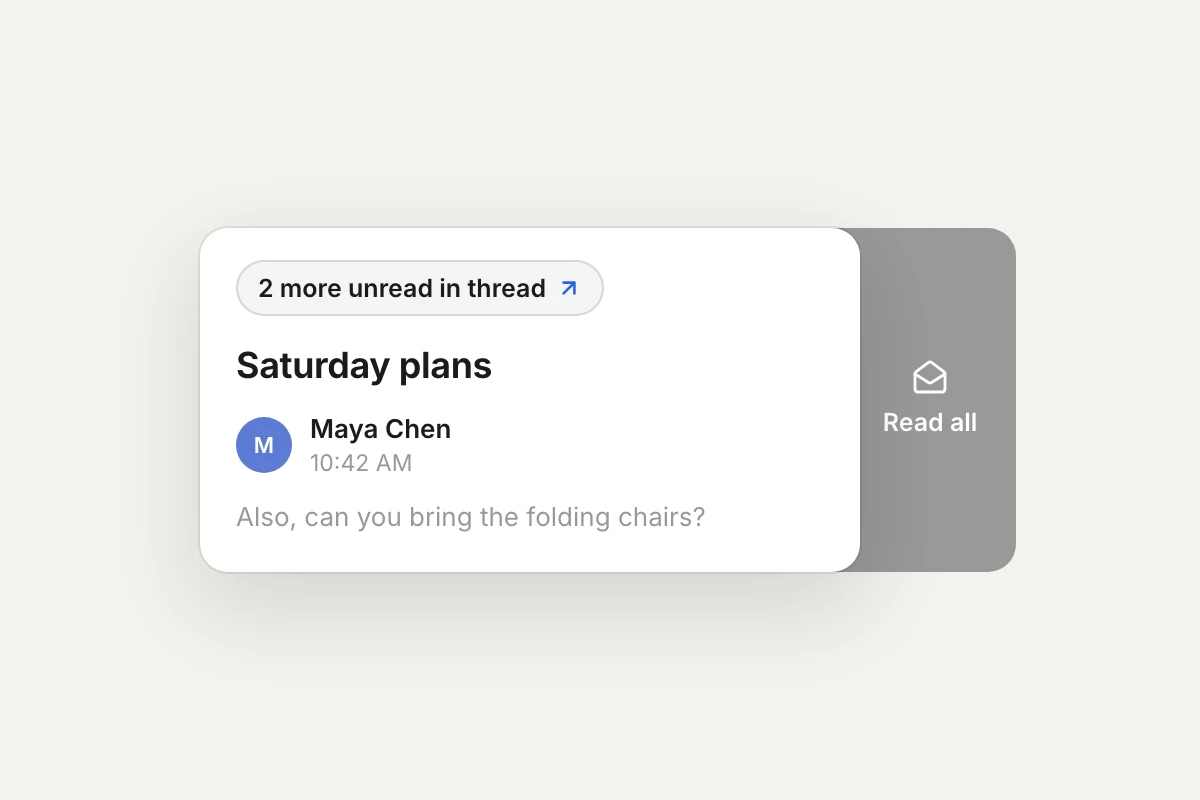
Triage shows when a conversation has more unread mail and opens all of it in one tap, any single email in a conversation can be marked unread, the iPhone tab bar is calmer and stays in place, and a batch of fixes from testers.

Conversations in Triage
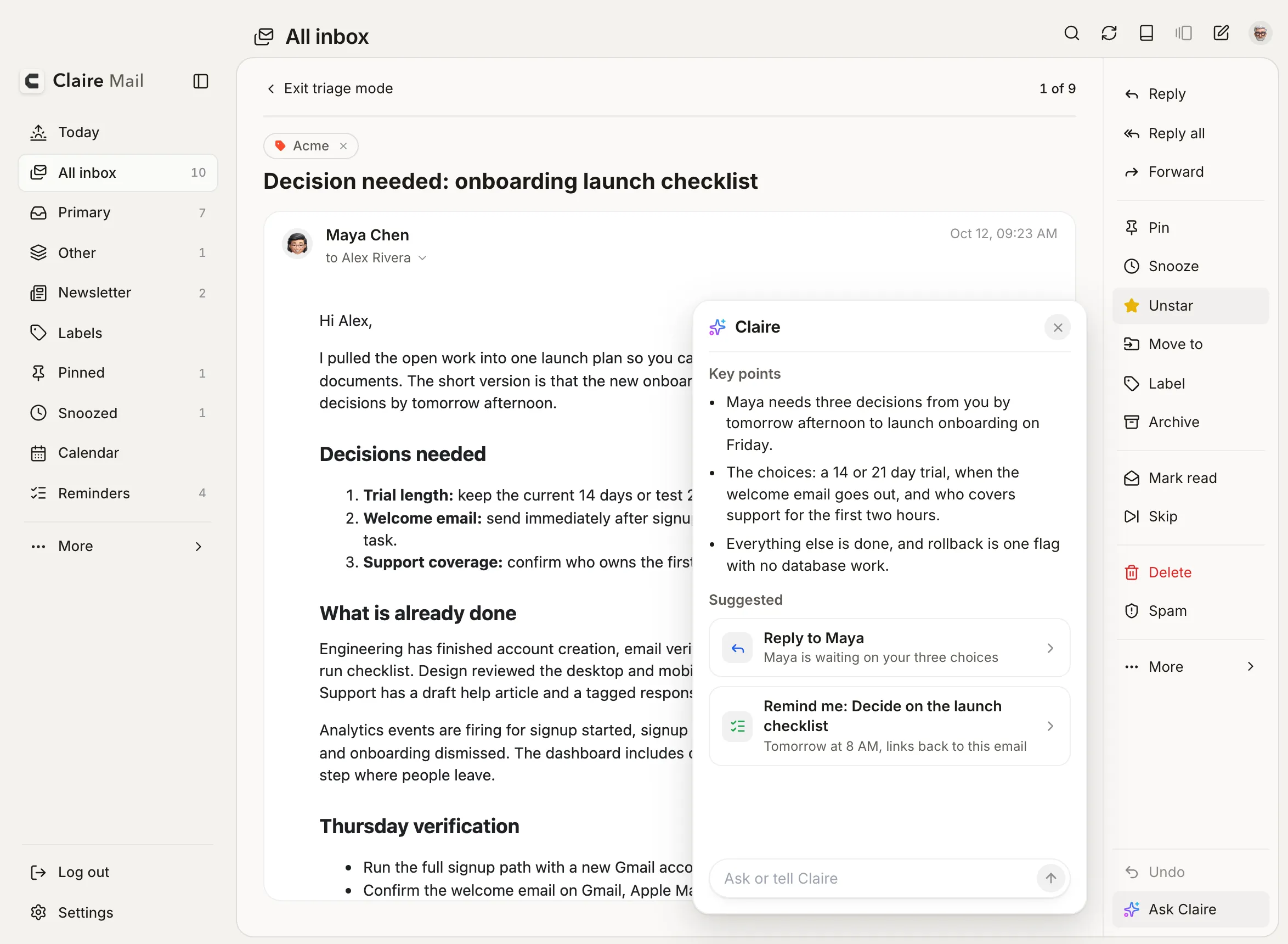
Conversations in TriageWhen a conversation has more unread mail, tap the chip to read all of it, then come back to the same card. Swipe Read all to clear the whole conversation.
One email in a conversation
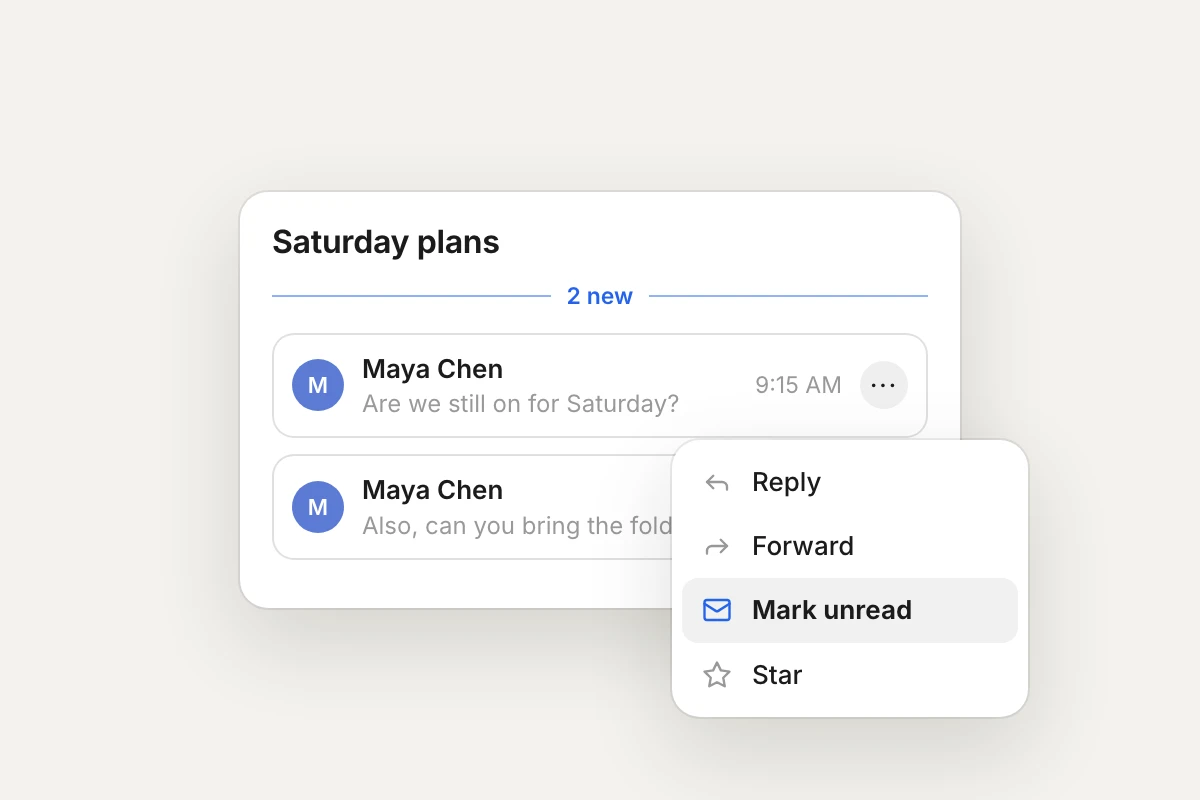
One email in a conversationReply, forward, star, delete or mark unread just one email in a conversation. On iPhone, tap its ··· button; on Mac, hover over it.
Lists and priority as you type
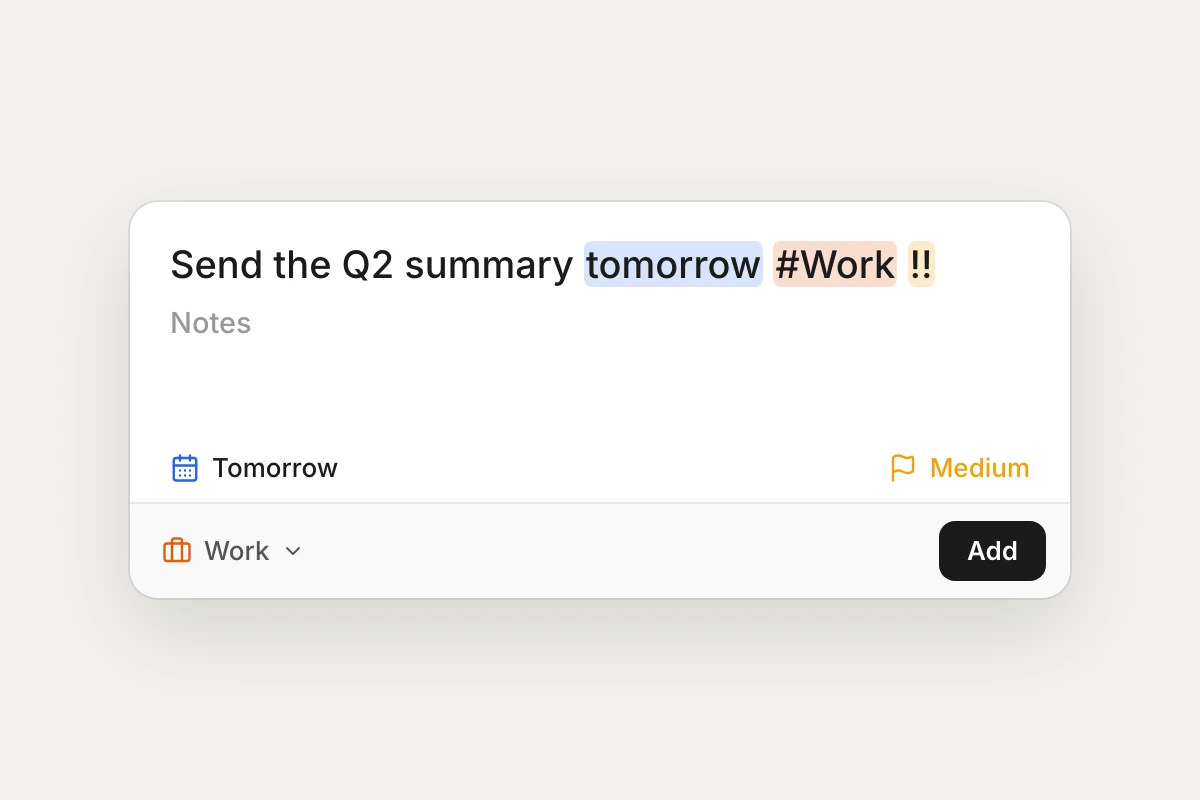
Lists and priority as you typeIn the Mac quick reminder, type #work to pick the list and !! for medium priority. No mouse needed.

New

  • Triage shows how many more unread emails a conversation has. Tap to read them all, then come back to the same card.
  • Read all in Triage clears the whole conversation in one swipe.
  • Reply, forward, star, delete or mark unread just one email in a conversation.
  • A line marks where the new emails in a conversation start.
  • iPhone: choose Liquid Glass for the tab bar in light mode, dark mode, both or neither.
  • Mac quick reminder: type #work to pick the list and ! to !!! to set the priority, without the mouse.
  • iPhone: Compose is its own round button at the right of the tab bar.

Improved

  • Mac: updates show their progress in a small capsule, with a clearer install screen and a link to these notes after.
  • Notifications fit on one line, with shorter wording.
  • The repeat picker for reminders matches the app, and Custom is now Pick a date.
  • iPhone: Settings keeps each control on the right of its row.
  • Blocked images show as quiet placeholders, with a clearer notice.
  • Labels added or removed in Triage apply to the whole conversation.
  • iPhone: the tab bar stays in place when you come back from an email, Triage or Settings.
  • iPhone: with Liquid Glass on, the tab bar comes back as soon as you leave a screen.
  • iPhone: in Solid dark and Black, the selected tabs are easier to see, and in Black the top buttons and selected tabs share one calm tone.
  • iPhone: in Solid, the top buttons sit in circles like the selected tab, as in White and Black.
  • iPhone: the button that jumps to the end of a conversation is the size of the action bar circles.

Fixed

  • Mac: all-day events show on the right day.
  • iPhone: every calendar event loads, even when one calendar fails.
  • Replying to an email you sent goes to the people you sent it to.
  • AI drafts no longer add extra blank lines.
  • Mac: Esc and shortcuts work after clicking inside an email.
  • Mac: custom repeats on reminders save again.
  • iPhone: Triage starts without a stutter.
  • iPhone: swiping the menu or another sheet down slowly no longer cuts off the top of the page behind it.
  • Opening a conversation marks all of it read, so the new-emails line only shows for mail that is actually new.
  • Pinned matches the selected tab in every theme: no outline in Black on Mac, and one colour from the tab through the rows on iPhone.
  • The caret in the jump-to-end and back-to-top buttons sits in the middle of its circle.
2.8.478MaciPhone

Pinned opens like a tab, paragraph gaps kept

Pinned now opens from a tab into its card, unread senders are a little lighter, emails keep the paragraph gaps you see while writing, and a batch of fixes on Mac and iPhone.

Improved

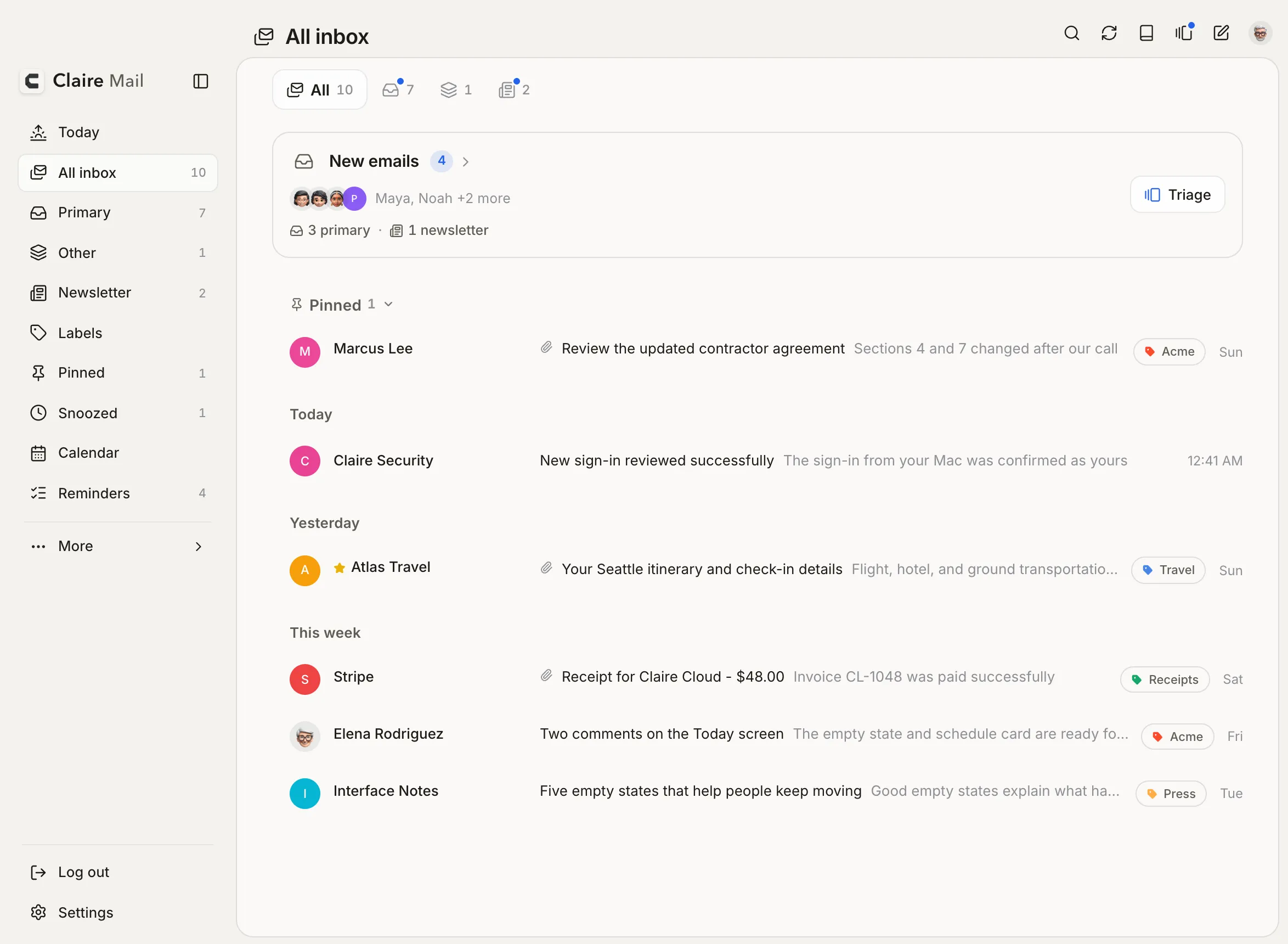
  • Pinned: the section header is a tab that matches the selected inbox tab. Tap it and it grows into the card of pinned mail; tap again to fold it.
  • Pinned stays still when you open or fold it, and sits closer to the sections around it.
  • Unread senders are a little lighter, so the subject leads the row.
  • Today has a new icon.
  • Mac quick reminder: a long note grows the panel up to about twice its size, then scrolls, so a pasted note is never hidden.
  • Mac: each account in the account menu shows its own profile photo.
  • Mac: thinner scrollbars, and the sidebar icons and logo line up.
  • Conversations from tools that send every update from one address now show the latest person's name.
  • Archiving the last email under a date folds the date header away with it.
  • iPhone: with the tab bar hidden, Inbox always opens All inbox.
  • iPhone Reminders: the date filter and grouping are two separate buttons, like on Mac. In Frame dark, New has a soft edge.
  • iPhone: tapping a tab in the bottom bar keeps its icon still while the label opens beside it.
  • Today: in Up next, the timeline line runs unbroken past the Prepare button, which now lines up with the meeting title.

Fixed

  • Mac: switching accounts with the keyboard no longer flashes Pinned open and shut.
  • Mac: with the top bar off, selecting emails no longer brings in the inbox tabs.
  • Writing: blank lines between pasted paragraphs now reach the recipient. Before, the editor showed them but the sent email did not.
  • iPhone: folding a long Pinned section no longer drags the list below it.
2.8.472MaciPhone

Floating composer on Mac, smoother archive

On Mac, writing happens in a floating window that leaves your email open. On iPhone, archiving from the list is smoother, and pinned emails stay visible with the tab bar hidden.

New

  • Mac: New message, Reply and Forward open in a floating window at the bottom right. The email you are reading stays open and readable behind it.
  • Mac: minimize the window to a title bar and click it to come back. Opening another message saves the current one to Drafts first.

Improved

  • Mac: the window is named for what it is (New message, Reply, Forward, Draft), and its toolbar spans the full width.
  • Mac dark themes: the composer matches the theme, with true black in Black.
  • iPhone: archiving from the list is smoother, and the empty state fades in when a tab is cleared.

Fixed

  • iPhone: with the tab bar hidden, pinned emails show in the Pinned section at the top of the inbox instead of disappearing.
2.8.470MaciPhone

Calmer dark themes, sheet fixes

Dark themes get calmer menus, one selection colour and darker sheets on iPhone, and closing a sheet no longer refreshes the list behind it.

Improved

  • Mac: menus and dialogs in Solid dark, Black and Frame dark are a calmer, darker grey.
  • Mac: the selected tab, Settings section, email and reminder use the sidebar's selection colour in Frame dark and Black.
  • Mac: the sidebar's text and icons match the reader's action bar, and Settings is highlighted while it is open.
  • iPhone: sheets in Frame dark and Black match the email list, and Frame dark Settings outlines are lighter.

Fixed

  • Mac: Black panes have their outline back. Meeting prep's Prepare button sits on its own, like Join.
  • iPhone: swiping a sheet down to close it no longer refreshes the list behind it.
2.8.469MaciPhone

Settings title on Mac, calmer Frame dark

Settings shows its own title on Mac, and Frame dark gets a softer selection on Mac and the deeper page on iPhone.

Improved

  • Frame dark on Mac: the selected item in the sidebar and the selected email use a softer grey.
  • Frame dark on iPhone: a slightly deeper page, matching the Mac. Today is unchanged.

Fixed

  • Mac: Settings shows its own title instead of the page you came from.
2.8.468MaciPhone

Translate, swipe to label, week start, calmer dark themes

Translate an email on iPhone, swipe to label, pick the first day of the week, and turning off the Daily brief now really hides it. Dark sheets and Frame dark are calmer.

New

  • Translate on iPhone: open an email, tap More, then Translate. Apple translates it on your iPhone, no AI involved (iOS 17.4 or later).
  • Swipe to label: pick Label for a swipe in Settings, Actions & shortcuts.
  • Week starts on: Region, Sunday or Monday, in Settings, Appearance. Every calendar follows it.

Improved

  • Dark themes on iPhone: menus, pickers and detail sheets stand out from the page, with no darker holes inside.
  • Frame dark on Mac: calmer tones, a clearer selected email, Today without a panel, and borders that run the full height.
  • Frame dark on iPhone: the selected inbox tab matches the buttons at the top.

Fixed

  • Daily brief: turning it off in Settings, Today now hides it, and What you missed on iPhone.
  • Amazon emails: product photos no longer show as black squares in dark mode.
2.8.467MaciPhone

Frame dark on Mac, a calmer Black, sheets that stay bright

Frame now has a dark version on Mac, Black on Mac is calmer and clearer, menus in the Mac reader open again, and iPhone sheets are no longer greyed out.

New

  • Frame dark on Mac: the same black frame and sidebar around dark grey panels. Pick it under Settings, Appearance, Dark theme.

Improved

  • Black on Mac: no outlines around the panes, Settings groups as on iPhone, menus that stand out, a clearer selected item in the sidebar, and calendar events you can see.

Fixed

  • Mac reader: the Move to, Label and More menus open again.
  • iPhone: the menu, Labels and Snooze sheets are no longer greyed out after they open.
2.8.466MaciPhone

Italic text, tidier top bar, steadier reading pane

Italic works when you write an email, the iPhone top bar uses Apple's control size, and the Mac reading pane loses its white strip.

Improved

  • iPhone top bar: the buttons are Apple's standard size, with a little more room between the menu button and the title.
  • Mac inbox: sender names are a touch heavier, as on iPhone, so read emails are easier to scan.

Fixed

  • Compose: italic text now shows as italic while you write, on Mac and iPhone.
  • Mac reading pane: the action bar above an email matches the pane in every theme, instead of a white strip.
  • Mac: the page title lines up with the tabs below it when the reading pane is on.
2.8.465MaciPhone

Steadier returns, smoother sheets, roomier reader

Coming back to Claire on iPhone no longer shows the startup screen when nothing was wrong, every sheet swipes away the same way, and short emails get more room in the reader.

Improved

  • Sheets on iPhone: menus, labels, snooze and date pickers follow your finger, close with a flick, and pull down from the list once it is at the top. A reminder's sheet swipes away from anywhere.
  • Reader: short emails get a taller card and more space under the last line, on Mac and iPhone.
  • Mac: the reader and Triage line up with the list, so the title and content stay put when you open or close an email.
  • Reddit emails open in the enhanced view on iPhone too.
  • Weather: Today shows the short state (Portland, OR), and the small widget's icon sits next to the temperature.
  • The Claire Mail name at the top of the sidebar and menu matches the sign-in screen.

Fixed

  • Coming back on iPhone: Claire no longer reloads itself, and shows the startup screen, when the app was fine.
  • Top bar on iPhone: no flash when you leave an email or Settings.
  • Mac: Settings no longer stays at oversized text after the window reloads.
  • Mac app icon: it shows correctly on non-Retina displays, where it could appear as colored noise in System Settings.
  • Today on iPhone: the squiggle under What you missed is gone.
2.8.464MaciPhone

Signatures for each account, reminder lists, smoother returns

Each account can have its own signature, including your formatted Gmail signature. Adding an email to Reminders lets you pick the list, the Brief can start Triage reminders, and coming back to Claire puts you where you were.

New

  • Signatures: All accounts or Per account, Use Gmail signature, and an option to add the signature to replies and forwards. Compose now signs with the account you send from.
  • Add to Reminders: choose the list from the picker. It remembers the last one.

Improved

  • Opening Claire: it opens on your Open on launch tab. After the app is interrupted, it returns to the same email and scroll position.
  • Coming back to Claire: mail archived elsewhere disappears right away, the New emails card waits until mail is checked, and the Brief no longer shows Try again on return.
  • Drafts: closing a reply you didn't change saves nothing, and the Draft card shows your words.
  • Reddit emails: they open in the enhanced view.
  • iPhone polish: the top bar stays calm when you come back from an email, Settings, Triage or Compose. Sheets sit lower, top buttons are smaller, Pinned and Snoozed corners are clean, and the profile menu closes on a second tap.
  • Mac polish: a smaller All done screen at the end of Triage, and the jump button matches your theme and shows only in long conversations.
  • Sounds setting: removed. Your system's notification sound still plays.

Fixed

  • Contacts: every Google contact loads, not just the first 1,000. Suggestions put names that start with what you type first.
2.8.463MaciPhone

Frame polish on iPhone

In Frame, the bar you get when selecting emails sits on the black base, and Reminders and Today match the rest of Frame dark.

Improved

  • Frame on iPhone: selecting emails shows a dark bar on the black base, like the tab bar.
  • Frame dark: Reminders and Today use the same dark page as the other screens.
2.8.462iPhone

Calmer account switching on iPhone

On iPhone, switching to another account for the first time loads inside the list instead of redrawing the whole screen.

Improved

  • iPhone: the first switch to an account shows its loading inside the list; the tab bar and the page around it stay where they are.
2.8.461MaciPhone

Frame in dark mode on iPhone

Frame now works in dark mode on iPhone: the dark page rests on the same black base, and swiping back from an email is smoother in Frame.

New

  • iPhone: Frame in dark mode (Settings, Appearance, Dark theme). One dark page from the top down on the black base, with the top buttons in the same dark pills as the tab bar.

Improved

  • Frame: swiping back from an email squares the page's corner gradually instead of all at once, without a grey shadow over the list, and the top bar no longer flashes.
2.8.460MaciPhone

Frame on iPhone, reminders from email, contact photos

Frame comes to iPhone, any email can become a reminder, sender photos come from your contacts, Undo stays out of the way, and long conversations get a caret to jump to the latest message.

Improved

  • What's New shows what came since the last tour: Frame on iPhone and on the Mac, a reminder from any email, photos from your contacts, Undo then keep going, and the jump caret.
  • Conversations: the caret fades in and out instead of popping, dims while you scroll and comes back when you stop.
  • iPhone: under White, Black and Frame, your account photo at the top is the size of the buttons beside it.
  • iPhone: What's New fits its text, with larger pictures.
2.8.459iPhone

Clearer triage on iPhone

On iPhone, the Triage button at the top now shows only in the Inbox and in Reminders, so it is always clear what you are triaging.

Improved

  • iPhone: Today and Calendar no longer show the Triage button at the top. Today's cards keep their own triage buttons for mail and reminders.
2.8.458MaciPhone

New reminder button, Tomorrow in Triage

On iPhone, New reminder floats above the tab bar, and Reminders Triage gets a one-tap Tomorrow. The conversation carets now jump to the start of a message and fade while you scroll.

New

  • iPhone Reminders: a New button floats above the tab bar, on the right.
  • Reminders Triage: a Tomorrow button moves a reminder to tomorrow in one tap.
  • Mac: the up caret takes you to the start of the first message.

Improved

  • Conversations: the caret jumps to the start of the latest message, sits closer to the bottom on iPhone, and fades while you scroll down.
  • Frame on iPhone: the Undo pill sits just above the black base.
2.8.457MaciPhone

Jump carets and a clearer Send

Conversations get a caret to jump to the latest message and, on the Mac, one back to the top. On iPhone, Send tells you what's missing instead of sending an empty email.

New

  • Conversations: a round caret jumps to the latest message, now closer to the edge and the size of the close button on iPhone.
  • Mac: once you reach the end of a conversation, a caret takes you back to the top.

Improved

  • iPhone compose: Send with no recipient asks for one, and a reply with nothing written asks for a message, instead of sending.
2.8.456MaciPhone

Drafts keep their files, smoother reader, quieter notifications

Reopened drafts keep their attachments, archiving marks mail read, Primary only notifications stay quiet for promotions, and the iPhone reader moves more smoothly.

New

  • Conversations open at the top, and a round button jumps to the latest message.
  • Mac: a Wider email body setting (Settings > Reading), the toolbar stays at the top of long conversations, and Undo centres on the reading pane.

Improved

  • Archive, delete, spam and block now also mark the email read in Gmail.
  • iPhone: swiping back from an email and leaving long conversations is smoother, and emails use more of the screen width.
  • Archive swipes are green.
  • Mac: compose closes right away when you haven't typed anything, and says Draft saved when it saves.
  • Today has a new sun icon.

Fixed

  • Drafts: reopening a draft keeps its attachments.
  • Notifications: Primary only no longer rings for promotions and newsletters.
  • Rounded buttons in emails, like Netflix's, no longer show a square frame.
  • Mac Frame: the panes' corners sit evenly inside the window.
2.8.455MaciPhone

Forwards keep their attachments, smoother Frame

Forwarded emails now include their attachments, rounded buttons in emails lose their square frame, and Frame on iPhone moves more calmly.

New

  • Forwarding an email now includes its attachments. They show in the draft, you can remove any of them, and Claire tells you if one can't be attached.
  • iPhone: a Show tab bar switch (Settings > Tabs & navigation). Turn it off and open folders from the menu.
  • Mac: Photos from Contacts (Settings > Appearance) shows sender photos from your Mac's Contacts.

Improved

  • iPhone: the Save or Delete draft choices appear without jumping, and Send is now a clear black button.
  • Deleting an email also marks it read in Gmail.
  • In Pinned, swiping now says Unpin.

Fixed

  • Rounded buttons in emails no longer show a square frame around them.
  • Images in emails keep the width the sender set, so buttons and screenshots no longer show up larger than intended.
  • Frame on iPhone: the tab bar stays in place when you swipe back from an email or leave Triage, and fades back after the menu closes.
  • Mac: Back and Exit triage sit at the left edge of the email again.
  • Mac: the quick reminder panel's bottom bar sits cleanly inside the card.
2.8.454MaciPhone

Frame fixes, Contacts photos and account loading

Fixes from the first day of Frame on iPhone, plus Photos from Contacts and adding an account.

Improved

  • Frame: the email and Triage buttons use the same groups as the other themes, with Ask Claire at the right. Compose keeps its white formatting bar, and dark menus dim the page less.
  • Undo above the tab bar: a white Undo button on the black pill in light mode.

Fixed

  • Frame on iPhone: the tab bar stays fixed on the black base. It no longer slides in after a sheet, flashes when you open or close an email, or moves while switching accounts.
  • Photos from Contacts: the switch in Settings now asks for Contacts access and shows photos.
  • iPhone: a newly added account no longer stops at "Couldn't load mail".
2.8.453MaciPhone

Frame on iPhone, Contacts photos and Add reminder

A new Frame look on iPhone, sender photos from your contacts, reminders made straight from an email, and a smoother inbox when you come back to it.

New

  • Frame on iPhone (Settings > Appearance > Light theme): a white page resting on a black base that holds the tab bar and action buttons.
  • Sender photos from your contacts on iPhone (Settings > Appearance), when you allow Contacts access.
  • Add reminder from any email: pick a time or no date, choose the list, and Undo removes it. The reminder opens the email again, from Claire or from the Reminders app on iPhone.
  • Conversations open on the newest message, with a Newest first option in Settings > Reading.
  • Settings search can ask Claire where a setting lives.

Improved

  • iPhone: coming back to Claire keeps you where you were instead of reloading, and new mail eases into the list.
  • Inbox: date headers follow calendar days, Unpin works from every pin button, and a new Inbox layout group in Settings with a Pinned section switch.
  • Mac: titles and email bodies line up with the cards and avatars, and the brief's Detailed layout is gone.

Fixed

  • Swiping to an empty folder no longer flashes the startup screen, thread sender names stay put when you go back to the inbox, and the Undo button matches the buttons beside it.
2.8.452MaciPhone

A cleaner Pinned label

The Pinned label at the top of the inbox fits each theme: it matches the inbox tabs on the Mac and the top bar buttons on iPhone.

Improved

  • Pinned: the label above your pinned emails matches the inbox tabs on the Mac and the top bar buttons on iPhone, in light and dark themes.

Fixed

  • Mac: also includes the iPhone fixes from 2.8.451 (shared code; no visible change on the Mac).
2.8.451iPhone

iPhone fixes for Triage reminders and Undo

On iPhone, the tab bar no longer covers Triage reminders' action bar, and Undo no longer flashes above the action bar when its time runs out.

Improved

  • iPhone: the tab bar hides while Triage reminders is open, so its action bar is fully visible.

Fixed

  • iPhone: when the Undo ring in an open email runs out, nothing flashes above the action bar.
2.8.450MaciPhone

Undo that stays out of the way

Undo on iPhone no longer covers the action bar, a setting to go back to the list after acting on an email, and a batch of fixes from tester feedback.

New

  • New setting in Settings, Reading, After an action: open the next email, or return to the list. On iPhone and in the Mac's full reader.
  • iPhone: tap the status bar to scroll back to the top.

Improved

  • iPhone: in an open email, Undo is a button at the left of the action bar, with a ring for the time left. Everywhere else it floats just above the bar, so you can keep going.
  • Pinned emails at the top of the inbox sit in their own card, so they no longer read like another date.
  • Email text lines up with the sender's avatar, in the reader and Triage, on iPhone and Mac.

Fixed

  • Triage from New emails opened empty or with one email when the inbox tabs were off.
  • Moving mail between Inbox, Newsletter and Other with the tabs off.
  • A reminder's Open email link did nothing on iPhone, and could open an email without its text.
  • A dismissed follow-up could still show up in the brief's summary.
  • The Pinned label showed in the Pinned view, even with label pills hidden.
  • Mac: the top bar title no longer shifts when you turn the top bar on or off, and picking a reminder no longer selects its whole title.
2.8.449MaciPhone

New-mail banners for every Mac

On the Mac, new-mail notifications arrive within about 30 seconds even with Claire minimized, for every account.

New

  • Mac: Claire checks for new mail in the background every 30 seconds, so notifications arrive even when it is minimized or closed to the Dock, including for accounts not set up on iPhone.
2.8.448MaciPhone

Instant new-mail banners on the Mac

On the Mac, new-mail notifications arrive within seconds, even with Claire minimized, for accounts that also use Claire on iPhone.

New

  • Mac: for accounts that also use Claire on iPhone, new-mail notifications arrive within seconds, even when Claire is minimized or closed to the Dock.

Improved

  • iPhone: Light and Dark theme are both pickers with two choices: Solid or White, Solid or Black.
2.8.447MaciPhone

Ask Siri

Ask Siri about your day in Claire on iPhone, plus a day of fixes from launch feedback: drafts in conversations, Apple Calendar on the Mac, and notifications that keep coming after you close the Mac window.

New

  • iPhone: ten things to ask Siri, also in the Shortcuts app: next meeting, today's schedule, new emails, what's due today, add a reminder, read the brief, the weather, write an email, open Triage, open Today. Siri answers to “Claire” or “Claire Mail”.
  • Mac: closing the window keeps Claire checking mail, so new-mail notifications keep coming. Quit Claire to stop it.
  • Apple Calendar on the Mac: Claire now asks for calendar access, and setup offers Apple Calendar next to Google Calendar.
  • Share basic usage starts on during the beta, on its own setup screen with what is never shared. Turn it off any time.

Improved

  • A reply draft shows at the end of its conversation, marked Draft, and moving or deleting a conversation no longer makes a draft look sent.
  • With emails selected, the action bar follows the order you set in Settings, Actions, Delete deletes them and E archives them.
  • Attachments over Gmail's 25 MB limit are not added, and Claire says why.
  • Triage reminders: change direction mid-swipe and the action follows your finger, like mail Triage. The long swipe to pin says Pin.
  • Setup from Settings starts with what you have on now, and Skip changes nothing.
  • On iPhone, light mode is a single White switch, Frame is Mac only, and Settings, Reading has a Default mail app row.

Fixed

  • Label rows line up on the Mac, setup choices are all the same size, Mac Settings keeps its sizes after resizing, and What's New on iPhone lost a gray strip.
2.8.440MaciPhone

Drafts that stay, quieter notifications

Saved drafts on iPhone, notifications only for new mail, a daily brief you can correct, and two new reading settings.

New

  • Drafts you save on iPhone and the web are now kept in Gmail, so they are still there after you close the app.
  • Sender fonts (Settings, Reading): keep the fonts newsletters choose, including Google and Adobe web fonts when images are allowed.
  • Date headers (Settings, Inbox & labels): turn off Today, Yesterday and earlier sections for one plain list. Pinned no longer starts grouped by label.
  • On iPhone, links in emails open inside Claire, with Done to come back. Turn it off in Settings, Reading.
  • On iPhone, Claire can be your default mail app: Settings, Apps, Default Apps, Email.

Improved

  • Daily brief: Not needed removes a reply or follow-up for good. Dismissed and archived conversations stay out, and a reply from the same company in a new email clears a follow-up.
  • Meeting prep uses only email about that meeting, and suggests steps only when there is something specific to do.
  • Triage reminders on iPhone swipe like mail Triage.
  • Gmail categories: unread tabs show the blue dot, and empty tabs say so.
  • Prepare on the iPhone meeting page matches the Join button.
  • Glass, Glass+, Mist and Legacy are retired. If you used one, Claire switches to Solid.

Fixed

  • iPhone notifications ring only for new mail. Archiving or reading on another device no longer sends one, and the badge still updates.
2.8.439MaciPhone

Sort like Gmail

Gmail's own inbox tabs, two actions per swipe, Apple Calendar, sending from your Gmail aliases, and Frame on iPhone.

New

  • Inbox categories: sort with Claire (Primary, Other, Newsletter) or like Gmail (Primary, Updates, Promotions, Social, Forums). Setup asks which you prefer.
  • In Gmail mode, moving a message changes its Gmail category for the whole conversation, and new mail from that sender follows. Undo puts it back.
  • Long swipes: a second action in each direction on the email list. Defaults are Trash, Archive, Snooze and Pin.
  • AI: one switch per feature in Settings, so you can keep Ask Claire and turn off the rest.
  • Apple Calendar as a calendar source on the Mac and iPhone, every calendar on the device, read-only.
  • Send mail as: pick a verified Gmail alias as From when you compose.
  • Reminder lists have icons everywhere, with a picker, and switching accounts shows the account's photo.
  • Triage reminders: go through your reminders one card at a time, like mail Triage, for the date you have selected (Today, Tomorrow or All open). Skip, Done, Snooze or Delete, with Undo. Change the list or priority and tick subtasks from the card.
  • Ask Claire on a reminder: key points from related mail, then one tap to add subtasks, draft the email, suggest a due date from your calendar or write the notes.

Improved

  • Today, the inbox card and the iPhone widget show your top three categories, then how many more.
  • The optional footer on new emails now reads Sent with Claire Mail.
  • Frame on iPhone: a dark top bar with white screens. On the Mac, Today now sits in the white panel.
  • Reminders on iPhone: a new reminder's title gets the cursor once the sheet is open, and the list and due date in details are larger.
  • Calendar on iPhone: the return button reads Today, All day shows once, and events start closer to the week.
  • Settings: shorter names and descriptions.

Fixed

  • Snoozed mail stays hidden on every device until it is due.
  • Swiping out of an email in a dark theme now shows the email's edge.
2.8.438MaciPhone

Calmer motion and a badge you can trust

Smoother swipes, closes and undo on iPhone, and an app icon badge that counts the inbox you are looking at.

New

  • The iPhone badge offers All inbox or Primary only, like the Mac, and Primary only counts what is still in your inbox.

Improved

  • Swipe to archive glides the row away instead of snapping back, and the action colour builds with your finger.
  • Closing an email or Triage, the undo pill, the next Triage card and the save draft sheet all move more gently.
  • With more than one account, the badge follows the account you are viewing, even when a notification arrives.
  • White on the Mac: softer card shadows on Today.
  • Quick add: Notes uses the same type as the title.
2.8.432MaciPhone

Frame, Apple Intelligence on Mac, and a smarter Start here

A new Frame theme for the Mac, on-device AI on the Mac, and reminders grouped by what you can do together.

New

  • Frame: white mail in a dark frame, with Today fully dark. Mac, light mode.
  • Apple Intelligence runs Ask Claire, Start here and meeting prep on your Mac with no key.
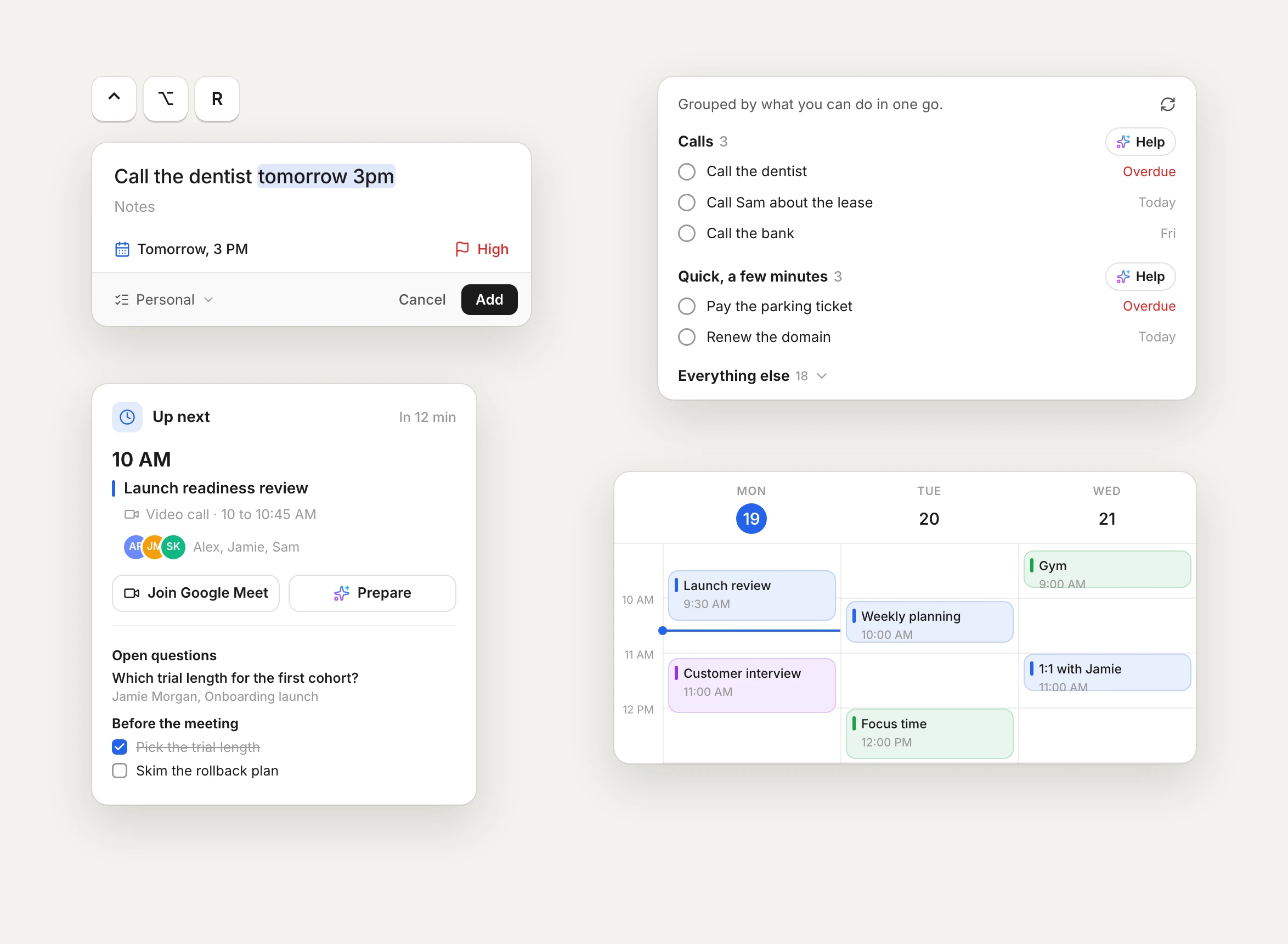
  • Start here groups your calls, emails and quick ones, with help for each group.

Improved

  • Up next puts Join and Prepare side by side, and links in meeting prep open.
  • Quick add: Tab goes to Notes, menus open above the panel, and the shortcut works when Claire is in the background.
  • What's New is a short tour, now on iPhone too.
2.8.431MaciPhone

Quick reminders and meeting prep

Add a reminder from anywhere on your Mac, and walk into meetings ready.

New

  • Press Control Option R in any app on your Mac, type the reminder, press Return. Change the shortcut in Settings.
  • Type the date in the title, like tomorrow 9am or Oct 28.
  • Before a meeting, tap Prepare for the open questions and what to do first, on Mac and iPhone.
  • Start here on Reminders groups your calls, emails and quick ones so you can do them together, and drafts the first step for a whole group.
  • On the iPhone, choose On device in Settings, AI: Apple Intelligence answers Ask Claire, Start here and meeting prep with no key and nothing leaving your phone. The daily brief uses your cloud key.
  • Settings: Fahrenheit or Celsius, 12 or 24 hour time, and pause an account on this device without signing out.

Improved

  • Ask Claire picks the date from the email, and the calendar is calmer.
  • Undo sits in the bottom bar with a countdown, the app icon badge shows Gmail's real unread count, and Pinned and Snoozed load with the inbox.
Quick reminders and meeting prep on Mac
2.8.426MaciPhone

Faces in your inbox

Sender photos and brand logos, so you know who wrote at a glance.

New

  • People show up with their photo, companies with their logo.
  • Logos come from the sender's own verified records.
  • Photos load privately through Claire.
Faces in your inbox on iPhone
2.8.423MaciPhone

A new first run

Set Claire up the way you like in a few short screens.

New

  • Pick a sorted inbox or one inbox.
  • Bring in your calendar and reminders.
  • Use your own AI key with Claude, OpenAI, Gemini, Grok or Groq, or none at all.
A new first run on iPhone
2.8.411MaciPhone

Ask Claire

One place to ask about any email.

New

  • The key points, in a few lines.
  • One suggested next step you can tap.
  • Drafts that sound like you, and answers about the whole thread.
Ask Claire on Mac
2.8.400MaciPhone

Your data, your call

Delete what Claire keeps on its servers yourself, from Settings.

New

  • One button, no email to support.
  • Your mail stays in Gmail either way.
2.8.392MaciPhone

A faster inbox

Lists, folders and the daily brief load much faster.

Improved

  • Claire reads Gmail in smarter batches.
  • It stays inside Gmail's limits, so it does not slow down later in the day.
A faster inbox on Mac
2.8.375MaciPhone

White and Black

Two new looks next to the classic one.

New

  • White for a bright, paper-like page. Black for a deep, quiet one.
  • On Mac, iPhone and the web.
White and Black on iPhone
2.8.359MaciPhone

iPhone widgets

Your day on the Home Screen.

New

  • Daily brief, New emails, Schedule, Up next and more.
  • Tap through to exactly the right place.
2.8.339MaciPhone

Reminder details on Mac

Select a reminder and everything about it sits right beside the list.

New

  • Notes, subtasks, dates, repeat and priority in one pane.
  • Move through reminders with the keyboard.
Reminder details on Mac on Mac
2.8.104MaciPhone

Snooze that comes back right

A snoozed conversation returns as one unread email, at the top.

New

  • A reply wakes it early.
  • Your snoozes follow you across devices.
2.8.74MaciPhone

Apple Reminders in Claire

Your lists next to your mail.

New

  • See and finish your reminders without leaving Claire.
  • Turn any email into a reminder that links back to it.
Apple Reminders in Claire on iPhone
2.7.56MaciPhone

The daily brief

Each morning, your day in one read.

New

  • What needs a reply, what is due, and what is on your calendar.
  • Written for today, not a list of counts.
The daily brief on Mac
The daily brief on iPhone
2.7.0MaciPhone

A sturdier Claire

A careful pass on reliability.

Improved

  • Reminders and the Today screen got sturdier.
  • Same calm idea: know what matters, then get on with your day.
2.3.1MaciPhone

Triage

Go through new mail one card at a time.

New

  • Archive, snooze or reply in one move.
  • Works the same on Mac and iPhone.
Triage on Mac
Triage on iPhone
And smaller releases every week.